2012年12月6日 星期四

iOS create in-app-purchase

1. 先產生一個 app 到 itunes store 上

2. 到 manage app , 點選所屬的app

3. 點選  manage in-app-purchase    


4. create new one


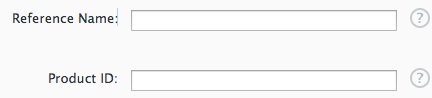
    reference name: 內部顯示用

   productID: 程式內會用到,用來辨別這項產品的編碼像我是用com.mycompany.appname.iap_product

cleared for Sale :不確定幹嘛的,不過好像是開關這項產品是不是被販賣

price tier  :  價錢嚕,不過好像一樣可以設定時間區段


language 部分 是主要顯示給使用者看的,

Hosting content with apple :似乎是iOS6的功能,托管一些買了之後要下載的內容資料給apple的server  可以看另一篇網誌有提到別人講的....


PS.  在這之前 需要到  Contracts, Tax, and Banking  填入一些聯絡資料,銀行資料等等...

    並且簽署另一份協議  才能正式的使用

5.  設定好了之後就可以到 Manage Users  新增測試帳號

     這樣在就可以在app 中測試了

     測試的時候 購買的alert下方會顯示  [environment: sandbox] 之類的字眼

iOS create app on itune store


1. 先要有一個apple的帳號,且付過錢

2. 登入iTunes store

3. manage your app -> Add New app

4.
app name :顯示在app store中
sku number : 這個算是這個帳號內部使用的一個編碼,在你的帳號內會是唯一,我在想可能是報表上看的到,應該是拿來識別你的這個專案
Bundle ID : 如果不知道應該也不用送審了XD

PS. app name 打了之後 似乎會被保留一段時間(即使刪除掉),我記得看過一篇是寫 120 days,... anyway, 盡量別設錯內容,不然要改很麻煩...

PS.  sku number 似乎也會被保留,不過不確定是多久

5.


這裡會要輸入你要的價格,以及價格時間區段
基本上可以輸入多組,我沒有實驗過,有試過在留一下記錄

Discount for Educational Institutions 有沒有提供教育折扣,我也不曉得折多少

Custom B2B App 還沒有研究過
6.

接下來這部份就是填一些app 的基本資料

還有rating  就是填一些app 有沒有暴力內容等等  ,來鑒定你的app的年齡分別

假設你有額外的用戶許可協議 (only text, not html)
可以寫入文字到 EULA


iOS The Information Property List File

http://developer.apple.com/library/ios/#documentation/iPhone/Conceptual/iPhoneOSProgrammingGuide/App-RelatedResources/App-RelatedResources.html#//apple_ref/doc/uid/TP40007072-CH6-SW4


2012年12月5日 星期三

iOS iTunes Hosting Content with Apple

http://stackoverflow.com/questions/11028183/whats-hosting-content-with-apple

This is a new feature with iOS 6, you can have apple host your content, such as images and videos. If you are looking to support anything below iOS6, then you should select no (assuming you have content that needs to be hosted), if your in app purchase does not need to download anything, then just select no.

2012年12月3日 星期一

App Store info.plist

https://developer.apple.com/library/ios/#documentation/iPhone/Conceptual/iPhoneOSProgrammingGuide/BuildTimeConfiguration/BuildTimeConfiguration.html


Table 5-1  Dictionary keys for the UIRequiredDeviceCapabilities key
Key
Description
accelerometerInclude this key if your app requires (or specifically prohibits) the presence of accelerometers on the device. Apps use the Core Motion framework to receive accelerometer events. You do not need to include this key if your app detects only device orientation changes.
armv6Include this key if your app is compiled only for the armv6 instruction set. (iOS 3.1 and later)
armv7Include this key if your app is compiled only for the armv7 instruction set. (iOS 3.1 and later)
auto-focus-cameraInclude this key if your app requires (or specifically prohibits) autofocus capabilities in the device’s still camera. Although most developers should not need to include this key, you might include it if your app supports macro photography or requires sharper images in order to perform some sort of image processing.
bluetooth-leInclude this key if your app requires (or specifically prohibits) the presence of Bluetooth low-energy hardware on the device. (iOS 5 and later.)
camera-flashInclude this key if your app requires (or specifically prohibits) the presence of a camera flash for taking pictures or shooting video. Apps use theUIImagePickerController interface to control the enabling of this feature.
front-facing-cameraInclude this key if your app requires (or specifically prohibits) the presence of a forward-facing camera. Apps use the UIImagePickerControllerinterface to capture video from the device’s camera.
gamekitInclude this key if your app requires (or specifically prohibits) Game Center. (iOS 4.1 and later)
gpsInclude this key if your app requires (or specifically prohibits) the presence of GPS (or AGPS) hardware when tracking locations. (You should include this key only if you need the higher accuracy offered by GPS hardware.) If you include this key, you should also include the location-services key. You should require GPS only if your app needs location data more accurate than the cellular or Wi-fi radios might otherwise provide.
gyroscopeInclude this key if your app requires (or specifically prohibits) the presence of a gyroscope on the device. Apps use the Core Motion framework to retrieve information from gyroscope hardware.
location-servicesInclude this key if your app requires (or specifically prohibits) the ability to retrieve the device’s current location using the Core Location framework. (This key refers to the general location services feature. If you specifically need GPS-level accuracy, you should also include the gps key.)
magnetometerInclude this key if your app requires (or specifically prohibits) the presence of magnetometer hardware. Apps use this hardware to receive heading-related events through the Core Location framework.
microphoneInclude this key if your app uses the built-in microphone or supports accessories that provide a microphone.
opengles-1Include this key if your app requires (or specifically prohibits) the presence of the OpenGL ES 1.1 interfaces.
opengles-2Include this key if your app requires (or specifically prohibits) the presence of the OpenGL ES 2.0 interfaces.
peer-peerInclude this key if your app requires (or specifically prohibits) peer-to-peer connectivity over a Bluetooth network. (iOS 3.1 and later)
smsInclude this key if your app requires (or specifically prohibits) the presence of the Messages app. You might require this feature if your app opens URLs with the sms scheme.
still-cameraInclude this key if your app requires (or specifically prohibits) the presence of a camera on the device. Apps use the UIImagePickerControllerinterface to capture images from the device’s still camera.
telephonyInclude this key if your app requires (or specifically prohibits) the presence of the Phone app. You might require this feature if your app opens URLs with the tel scheme.
video-cameraInclude this key if your app requires (or specifically prohibits) the presence of a camera with video capabilities on the device. Apps use theUIImagePickerController interface to capture video from the device’s camera.
wifiInclude this key if your app requires (or specifically prohibits) access to the networking features of the device.

iOS app 名稱顯示

http://kelp.phate.org/2012/01/localize-app-name-infopliststrings.html